CommissionOS Demo: What You Get Inside the Dashboard
This page contains affiliate links. If you buy through them we may earn a commission at no extra cost to you — it never changes our verdict. How we make money.
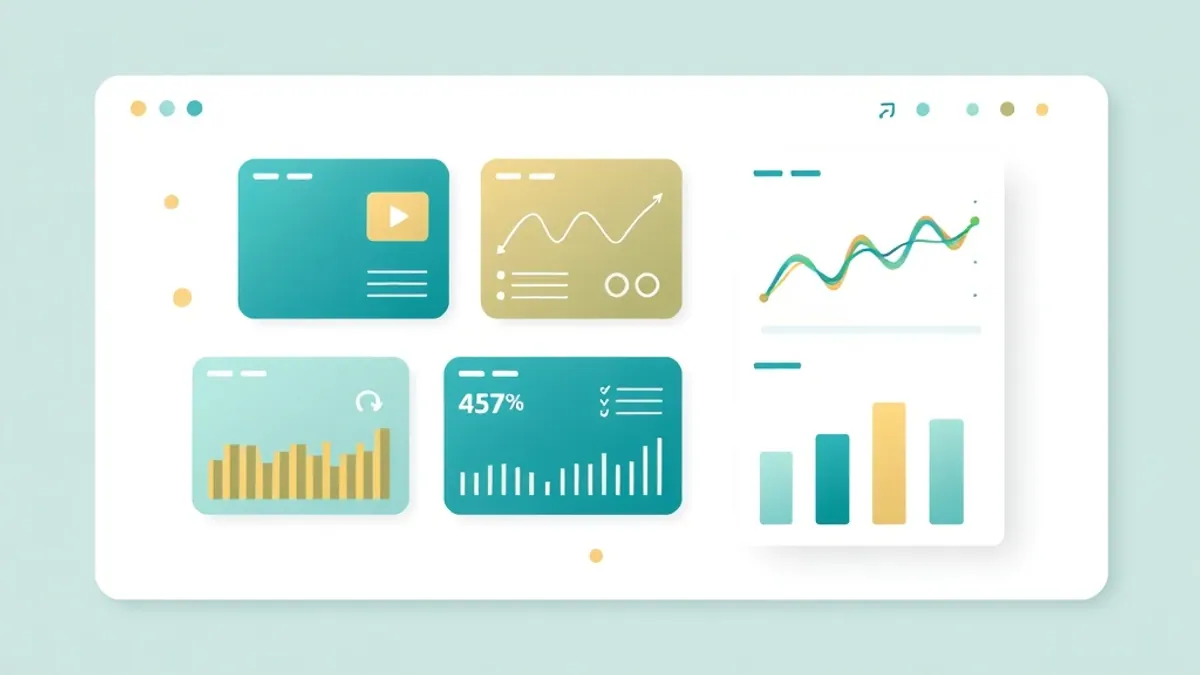
Navigating a new affiliate marketing application often involves separating vendor marketing promises from practical dashboard utility. In this CommissionOS walkthrough, we analyze the software’s documented internal features, workflow structure, and output mechanics. If you are assessing whether to invest in the software or have recently completed your CommissionOS login, understanding how the platform handles Cost Per Action (CPA) marketing campaigns is essential before sending live traffic to any generated asset.
How does CommissionOS work inside the dashboard? According to vendor documentation, CommissionOS allows affiliates to paste a Cost Per Action offer URL or text summary. The AI engine analyzes the offer details, identifies target audience angles, generates a mobile-responsive HTML prelander, outputs roughly 40 platform-specific promotional copy assets, and builds a customized 7-day execution plan.
The Documented CommissionOS Dashboard Workflow
Vendor sales materials and product demonstrations outline a unified, multi-step pipeline inside the CommissionOS dashboard designed to streamline campaign assembly. It is important to state clearly that the following step-by-step description comes directly from the vendor’s own promotional materials and video walkthroughs, rather than our own direct hands-on testing. Honesty about software evaluation is vital: we are dissecting the advertised operational model so you know what to expect before opening an account.
+-------------------------------------------------------------------+ | COMMISSIONOS DASHBOARD WORKFLOW | +-------------------------------------------------------------------+
- Offer Ingestion —> Paste offer URL, network details, or copy
- AI Angle Analysis —> Generates audience personas & copy hooks
- Prelander Engine —> Outputs mobile-responsive HTML/CSS code
- Content Factory —> Creates ~40 promotional posts/scripts
- Action Planner —> Generates daily tasks for campaign execution +-------------------------------------------------------------------+
1. Offer Ingestion and Technical Extraction
Inside the central CommissionOS dashboard, the workflow begins with an input field where you paste a CPA offer URL or direct sales page text. According to the vendor, the integrated artificial intelligence scans the submission to extract primary selling points, target demographics, and the underlying payout structure. Whether promoting a financial lead-generation form from the MaxBounty approval walkthrough or an e-commerce sweepstakes offer, the ingestion engine is designed to parse the raw text and prepare it for angle generation.
2. Audience Positioning and Angle Generation
Once the offer data is processed, the system proposes distinct marketing angles tailored to specific buyer personas. Rather than forcing you to brainstorm copy angles from scratch, the system presents several positioning strategies—such as fear-of-missing-out (FOMO), problem-solution, or direct discount hooks. The vendor materials show that users can select their preferred hook to guide the rest of the asset creation process.
3. Automated HTML Prelander Building
After an angle is chosen, the internal prelander builder outputs a lightweight, mobile-responsive HTML page. The tool claims to auto-populate headline copy, call-to-action buttons, sub-headlines, and compliance disclaimers configured to direct visitors toward your affiliate link. The generated page is designed to serve as a bridge between cold social traffic and the final CPA offer page.
4. Multi-Platform Content Generation
To drive traffic to the newly created prelander, the dashboard generates a package of promotional content pieces. Vendor materials indicate that a single campaign run produces over 40 distinct promotional elements, including:
- Short-form video scripts tailored for TikTok and Instagram Reels.
- Long-form promotional posts for Facebook groups and personal profiles.
- Visual pin descriptions and titles for Pinterest traffic strategies.
- Thread outlines and short-burst copy for X (formerly Twitter).
- Direct response email sequences designed for broadcast lists.
5. Automated 7-Day Action Plan
The final output screen presents a day-by-day task schedule. This plan breaks down the promotional push into daily operational steps, instructing you on which content assets to publish, where to post them, and when to monitor initial click-through metrics.
What to Check in Your First 20 Minutes After Login
Accessing any new marketing dashboard can cause information overload. After completing your CommissionOS login, jumping straight into generating dozens of campaigns without verifying the platform’s core output is a mistake. To ensure your time and potential ad spend are protected, follow this practical 20-minute audit protocol inside the CommissionOS dashboard.
+-------------------------------------------------------------------+ | FIRST 20 MINUTES: DASHBOARD AUDIT CHECK | +-------------------------------------------------------------------+ [00-05 Min] Profile & Export Test: Verify raw HTML downloading [05-10 Min] Single Offer Test: Input one offer, inspect output [10-15 Min] Prelander Code Audit: Check mobile viewport & script safety [15-20 Min] Content Uniqueness Audit: Review 5 assets for AI fluff +-------------------------------------------------------------------+
Step 1: Test the Code Export Mechanics (Minutes 0 to 5)
First, locate the prelander preview screen and test the file export feature. Determine whether the dashboard provides clean, downloadable raw .html files or if it forces you to host pages on vendor-controlled subdomains. Owning your HTML code is critical for long-term independence, as hosting on shared vendor domains leaves your campaigns vulnerable if those shared domains get flagged or blacklisted by major ad networks.
Step 2: Run a Low-Complexity CPA Offer Test (Minutes 5 to 10)
Rather than inputting a complex multi-step financial offer right away, paste a simple Single Opt-In (SOI) email submit offer. Observe how quickly the dashboard processes the request and evaluate whether the auto-generated angle accurately reflects the offer’s rules. If the system hallucinates features or claims that contradict the affiliate network’s terms of service, you will know immediately that manual copy editing will be required.
Step 3: Inspect the Generated HTML Source Code (Minutes 10 to 15)
Copy the generated landing page code into a simple text editor or browser developer tool. Look for bloated scripts, tracking glitches, or broken external image links. A clean prelander should consist of semantic HTML5, minimal inline CSS, and clean JavaScript redirects.
Step 4: Review Content Specificity (Minutes 15 to 20)
Inspect five randomly selected social posts generated by the content factory. Verify whether the text contains actual product specifics or relies on generic, repetitive phrases like “In today’s digital world…” or “Are you ready to unlock financial freedom?” If the copy is overly generic, it will fail to engage modern audiences and may trigger automated spam filters.
| Audit Phase | Vendor Claim | Verification Action | Risk Flag to Avoid |
|---|---|---|---|
| Code Export | Instant prelander generation | Download HTML; open locally in Chrome | Inability to download raw .html files |
| Angle Generation | Highly targeted buyer personas | Compare generated hook to offer restrictions | Angle promises bonuses forbidden by network |
| Content Factory | 40+ unique promo assets | Check 5 social posts for repetitive phrasing | Generic AI boilerplate that triggers spam filters |
| 7-Day Plan | Complete step-by-step strategy | Check if tasks require paid ad budget | Action plan assumes zero-budget reach on strict platforms |
The 3 Critical Questions for CommissionOS Output Usability
No automated campaign builder operates flawlessly without human oversight. When evaluating the assets produced inside the CommissionOS dashboard, you must ask three fundamental questions before deploying them live in your CPA marketing campaigns.
                              +---------------------------------------+
                              | THREE CRITICAL USABILITY QUESTIONS    |
                              +---------------------------------------+
                                                  |
     +--------------------------------------------+--------------------------------------------+
     |                                            |                                            |
     v                                            v                                            v
+------------------+ +------------------+ +------------------+ | 1. SPEED | | 2. CONVERSION | | 3. ALGORITHM | | Does the HTML | | Does the angle | | Does the copy | | load in under 2s | | match payout | | avoid AI pattern | | on mobile? | | triggers? | | flags? | +------------------+ +------------------+ +------------------+
1. Does the Generated Prelander Load Fast Enough?
Speed is the ultimate conversion factor in Cost Per Action affiliate marketing. Mobile users operating on cellular connections will bounce from a landing page if it fails to render within two seconds. Pages loaded with heavy animations, unoptimized high-resolution images, or excessive third-party scripts quickly destroy ROI on paid traffic.
When you export a landing page from CommissionOS, run the raw file through an independent speed diagnostic tool such as Google PageSpeed Insights. Test the page for the following structural benchmarks:
- Minimal Third-Party Scripts: Ensure the HTML isn’t calling unnecessary external libraries that delay page rendering.
- Inline Critical Styling: Simple prelanders render fastest when essential CSS is inline or packaged in a single, lightweight stylesheet.
- Mobile Viewport Optimization: Verify that the
<meta name="viewport">tag is correctly configured so elements do not break or overflow horizontally on mobile devices.
If you find that the software’s automated templates require manual clean-up to achieve optimal speed, consult our detailed technical guide on CPA Landing Pages and Prelanders That Actually Convert to optimize your HTML layout for maximum throughput.
2. Does the Traffic Angle Match the Offer’s Actual Payout Trigger?
A common failure point in automated AI campaign creation is a mismatch between the marketing hook and the offer’s conversion requirements. CPA offers operate on specific payout triggers:
- Single Opt-In (SOI): User enters an email address; conversion triggers instantly.
- Double Opt-In (DOI): User must confirm their email via an inbox link before a payout credit is issued.
- Credit Card Trial: User enters payment information for a trial shipment; high payout, high friction.
- Pin Submit / Mobile Billing: User enters a mobile phone number and confirms an SMS code.
If the CommissionOS dashboard generates a high-energy angle promising a “100% Free Instant Download,” but the offer requires a $4.95 credit card shipping fee, your conversion rate will drop to zero once users reach the merchant page. Misaligned angles lead to angry users, high bounce rates, and potential bans from affiliate networks for deceptive promotion.
Always cross-reference the generated headline and call-to-action against the network offer description. If necessary, manually adjust the prelander copy to ensure complete transparency regarding the user’s required actions.
3. Is the AI Content Specific Enough to Survive Platform Algorithms?
Social networks use automated moderation tools to detect low-quality, AI-generated content. Broad, generic copy filled with artificial fluff is routinely demoted or hidden by platform algorithms.
When reviewing the content output inside CommissionOS, check for these red flags:
- Overused Buzzwords: Words like “unleash,” “game-changer,” “groundbreaking,” and “masterclass” flag text as machine-written.
- Lack of Concrete Details: Content that speaks in generalities about “making money online” or “losing weight fast” without mentioning specific stats, steps, or unique mechanisms struggles to retain viewer attention.
- Identical Sentence Structures: AI generators often produce paragraphs with identical sentence lengths, creating a monotonous rhythm that human readers ignore.
To ensure your promotional posts actually reach human eyes and drive clicks, read our analysis on Does AI-Generated Traffic Content Actually Convert? to learn how to edit automated copy for algorithmic survival.
Comparative Assessment: Manual Workflow vs. CommissionOS Dashboard
To contextualize where CommissionOS fits into an affiliate marketer’s toolkit, it helps to compare the automated dashboard workflow against a traditional, manual CPA campaign build.
| Campaign Component | Traditional Manual CPA Workflow | CommissionOS Dashboard Workflow | Strategic Impact |
|---|---|---|---|
| Market Research | 2-4 hours browsing network marketplaces, forums, and spy tools | Automated extraction via pasted URL or offer text | Saves initial research time; requires manual angle validation |
| Prelander Creation | Hand-coding HTML/CSS or paying $67+/month for page builders | AI-generated mobile HTML prelander built-in | Eliminates monthly page builder fees if HTML export is clean |
| Copywriting | Writing social posts, ad copy, and email sequences manually | Auto-generates ~40 promotional assets across multiple formats | Rapid content baseline; requires human polishing |
| Workflow Planning | Manually drafting task lists in Trello, Notion, or calendars | Auto-generated 7-day daily task schedule | Useful structure for beginners needing directional focus |
| Traffic Integration | Manual setup of tracking pixels, postbacks, and ad groups | Manual setup still required outside the dashboard | Tracking and media buying remain hand-on tasks |
While the CommissionOS dashboard speeds up asset creation, it does not manage media buying or tracking configuration automatically. Affiliates must still configure tracking platforms, manage ad budgets, and set up custom domains manually. For a detailed breakdown of total software costs, upsell funnels, and feature tiers, read our breakdown of the upsell breakdown.
Who Benefits Most from the CommissionOS Walkthrough?
The utility of the CommissionOS dashboard depends heavily on your experience level and current campaign management setup.
Ideal User Profiles
- Beginner CPA Affiliates: Marketers who struggle with copywriting, coding HTML landing pages, or structuring daily tasks benefit from having an integrated framework. If you are learning the fundamentals, review the guide to starting from scratch alongside using this software.
- Solo Operators Seeking Velocity: Affiliates who want to launch multiple low-friction campaigns across free traffic channels can use the dashboard to quickly build draft assets.
- Content Marketers Needing Multi-Format Assets: Marketers who find it tedious to rewrite single promotional concepts for TikTok, X, Facebook, and email list broadcasts can use the content generator as an initial draft engine.
Less Ideal User Profiles
- Advanced Media Buyers: Experienced affiliates running high-volume paid traffic campaigns on Google Ads or native ad networks usually require custom-coded, highly optimized landing pages and advanced multivariate split testing.
- Affiliates with Existing Page Builder Stacks: Marketers already paying for robust page builders and dedicated AI writing tool suites may find the dashboard output redundant for their established workflow.
Before committing to any tool, compare its features against alternative solutions by reading our full CommissionOS review to evaluate how it fits your specific marketing budget and campaign goals.
Step-by-Step Implementation Strategy
If you decide to integrate CommissionOS into your operational stack, follow this phased execution blueprint to maximize campaign quality while minimizing technical friction.
+-------------------------------------------------------------------+ | CAMPAIGN IMPLEMENTATION STEPS | +-------------------------------------------------------------------+ Phase 1: Offer Selection & Ingestion └── Select an approved SOI/DOI offer from a top CPA network └── Paste offer terms and URL into CommissionOS dashboard
Phase 2: Asset Clean-Up & Optimization └── Export HTML prelander and host on your own custom domain └── Run PageSpeed Insights test; trim bloated CSS/scripts └── Cross-reference copy against offer terms & compliance rules
Phase 3: Content Refining & Editing └── Select 10-15 generated social copy pieces └── Remove generic AI buzzwords; insert real product specifics
Phase 4: Execution & Tracking Setup └── Deploy 7-day action plan with custom tracking links └── Monitor sub-ID performance and click-through metrics +-------------------------------------------------------------------+
Phase 1: Offer Selection and Ingestion
- Select an approved CPA offer from a network like MaxBounty, CPALead, or CPAGrip with clear payout parameters (e.g., an SOI email submit with a $2.50 payout).
- Copy the offer’s primary landing page copy and terms of service.
- Paste the data into the CommissionOS dashboard input module to trigger angle generation.
Phase 2: Asset Clean-Up and HTML Hosting
- Review the generated prelander design and export the raw HTML file.
- Upload the HTML file to your own fast web hosting server using a branded domain name.
- Audit the page load speed on mobile devices and verify that all call-to-action buttons correctly fire your affiliate tracking links.
Phase 3: Content Editing and Scheduling
- Select 10 to 15 copy assets from the 40+ generated posts rather than publishing the entire batch blindly.
- Rewrite headlines to match your personal brand voice and remove robotic phrasing.
- Schedule content across your active social channels according to the generated timeline or adapt it to a custom structure like our Realistic 7-Day CPA Marketing Action Plan.
Phase 4: Traffic Execution and Analytics Tracking
- Launch your organic posts or paid traffic campaigns using unique Sub-IDs attached to your affiliate link.
- Monitor click-through rates (CTR) on your prelander versus final conversion rates on the network dashboard.
- Pause underperforming traffic angles after collecting sufficient data (e.g., 200–500 unique visitors) and scale the copy hooks that yield high-intent clicks.
Common Configuration Mistakes in CommissionOS (and How to Avoid Them)
When evaluating or using an automation dashboard such as CommissionOS, operational errors during the initial setup phase can significantly impair campaign performance. Affiliate marketers transitioning from manual offer selection to an integrated dashboard often make predictable errors that undermine their tracking accuracy and conversion rates.
1. Omitting Sub-ID and Dynamic Tracking Parameters A frequent issue with dashboard-generated campaign links involves the accidental exclusion of custom tracking tags. When generating promotional material within CommissionOS, relying solely on a raw default affiliate link prevents granular data collection. Vendors of this software category typically provide fields for custom sub-IDs, but users frequently skip this step. If you push traffic to a network offer on platforms like MaxBounty or WarriorPlus without unique sub-IDs attached, you lose the ability to identify which specific ads or placements generated the conversion. The Fix: Always inspect the final URL output generated by the dashboard prior to launching traffic. Ensure your network-specific tracking tokens are correctly appended to the main destination link.
2. Publishing Raw, Unedited Promotional Copy Dashboards designed to accelerate campaign creation often produce pre-written promotional copy, bridge page text, or promotional swipes. A critical mistake is deploying these outputs immediately without review. Standardised copy can trigger spam filters on traffic networks or lead to compliance rejections on pay-per-lead offers. Furthermore, audience fatigue sets in rapidly if multiple affiliates run identical dashboard-generated material across platforms such as CPALead or AdCombo. The Fix: Treat the output from CommissionOS as a structured draft rather than a finished product. Spend a few minutes customising the headline phrasing, tweaking call-to-action buttons, and ensuring the promotional angle aligns with your traffic source.
3. Failing to Audit Offer Expiry and Network Permissions Affiliate offers move fast, particularly in the Cost Per Action space where caps and offer permissions change regularly. Assuming that an offer configured inside your dashboard remains active indefinitely can result in wasted traffic routed to dead links. The Fix: Before directing live traffic to a dashboard-configured funnel, log into the underlying CPA network directly to confirm the offer status remains active, the payout structure is unchanged, and your affiliate account holds all requisite permissions.
Integrating CommissionOS Dashboard Outputs with External CPA Networks
Once you have configured your initial dashboard settings, a key operational challenge involves bridging the campaign assets generated inside CommissionOS with your external CPA affiliate networks. Software suites of this nature generally aim to streamline copy creation and funnel assembly, but overall campaign efficiency depends on how seamlessly these outputs connect to platforms such as MaxBounty, CPAGrip, CPABuild, or AdCombo.
Matching Dashboard Templates to Network Rules
Different CPA networks require distinct campaign architectures. For instance, networks built around micro-tasks or incentive traffic, such as CPAGrip or CPABuild, frequently rely on content-locking scripts. Conversely, networks specialising in cost-per-lead (CPL) or cash-on-delivery (COD) offers, such as MaxBounty or AdCombo, typically demand clean, fully compliant landing pages. When exporting campaign assets from the CommissionOS interface, confirm that the chosen page structure matches the permitted promotion methods specified in your affiliate network’s terms of service.
Parameter Alignment and SubID Tracking
To maintain accurate attribution across your marketing stack, tracking parameters must pass cleanly from your traffic source through your CommissionOS landing page to the destination network. Before launching paid traffic, perform the following steps:
- Extract the raw HTML or hosted page link provided within the CommissionOS workspace.
- Replace default call-to-action placeholders with your network affiliate link, ensuring dynamic tokens (such as sub-IDs or click IDs) are correctly attached.
- Test the complete user journey in a private browsing window to verify that server-to-server postback pixels fire without dropping tracking parameters.
Adhering to Ad Platform Policies
Automated copywriting modules inside dashboard environments often lean toward high-converting, emotive text. However, major advertising channels enforce strict guidelines regarding pre-sell content, financial claims, and bridge pages. While tools like CommissionOS provide pre-written copy designed to accelerate campaign creation, you should always audit the generated text manually. Removing overly aggressive headlines or unsubstantiated claims prior to publication ensures your funnels remain compliant with both traffic network policies and advertiser guidelines.
Final Assessment of the Dashboard Experience
The CommissionOS dashboard provides an integrated workflow designed to lower the technical bar for CPA affiliate marketing. By combining offer analysis, HTML prelander generation, multi-channel copy creation, and daily task scheduling into a single interface, it offers a functional baseline for beginners and solo marketers seeking operational speed.
However, automated tools are productivity accelerators, not hands-free money keys. The outputs generated inside the platform require manual oversight, technical speed verification, and compliance checks before launching live campaigns. Affiliates who treat the dashboard as a source for editable first drafts—rather than finished, push-button campaigns—will get the most practical value out of the software.
Related guides
CommissionOS OTOs Explained: Full Funnel Breakdown (2026)
A complete breakdown of all 5 CommissionOS OTOs, upsells, and the VIP bundle. Learn what each upsell adds and which ones you actually need.

CPA Landing Pages and Prelanders That Actually Convert
Master the art of CPA landing pages and prelanders. Discover proven formats, message-matching rules, page speed fixes, and compliance strategies.

Does AI Content Convert for CPA Marketing? Honestly
Does AI content convert for cost-per-action campaigns? Discover where AI copywriting works, why raw output fails, and the exact workflow to fix it.