CPA Tracking and Postback URLs Explained for Affiliates
This page contains affiliate links. If you buy through them we may earn a commission at no extra cost to you — it never changes our verdict. How we make money.
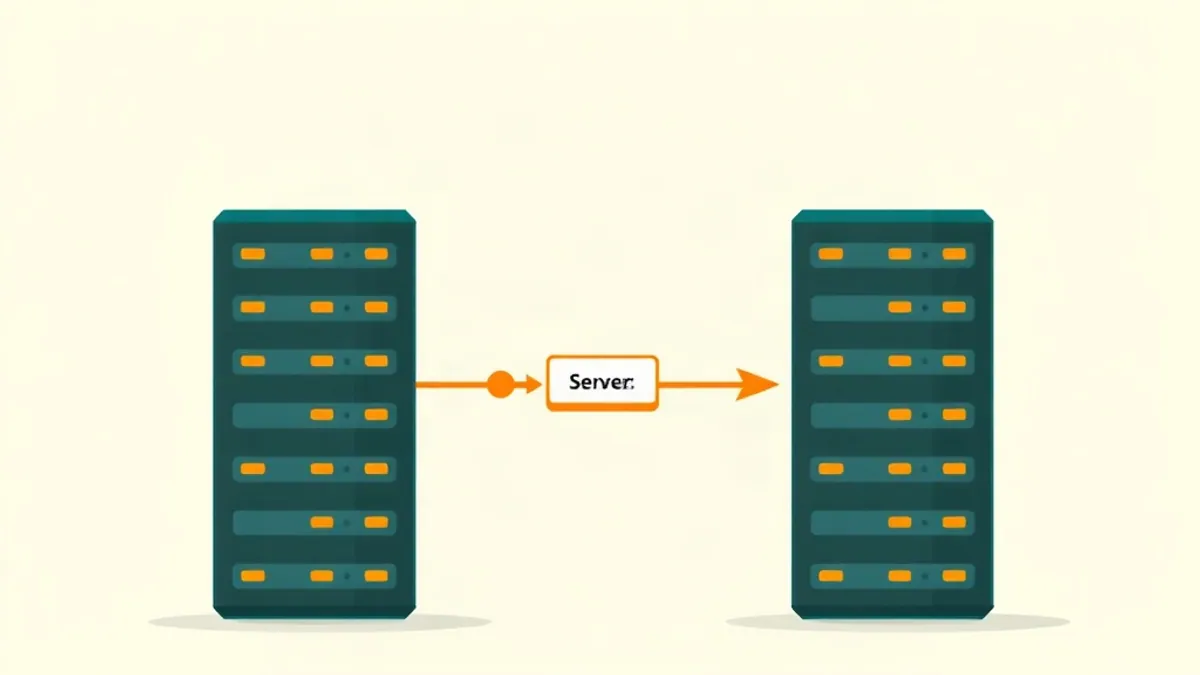
When you launch your first campaign in cost-per-action (CPA) affiliate marketing, you quickly encounter a term that confuses almost every beginner: the postback URL. You might see input fields for it inside your affiliate network dashboard, settings menus in your tracking platform, or troubleshooting guides on industry forums. Without a clear understanding of what a postback URL actually does, setting up a campaign can feel like guessing web addresses and hoping for the best.
The core challenge of cost-per-action conversion tracking is simple: when a user clicks your link and completes a conversion—such as filling out a lead form, installing an app, or depositing funds—that action happens on the advertiser’s website, not yours. Because you do not own the advertiser’s confirmation page, a standard browser pixel placed on your own site cannot see the conversion take place. Server-to-server (S2S) postback tracking solves this fundamental disconnect by allowing the affiliate network’s server to communicate directly with your tracking server behind the scenes.
What is a postback URL in CPA marketing? A postback URL (also known as a server-to-server or S2S postback) is a dedicated web address provided by your tracking software to an affiliate network. When a user converts on an offer, the network calls this URL in the background to pass payout data and the unique click ID back to your tracker.
Understanding how server-to-server postback tracking works from first principles is essential for anyone spending money on media buying. This guide breaks down the underlying technical mechanics, traces the lifecycle of a click ID, highlights common setup errors that burn ad budget, and explains how to configure a bulletproof tracking stack.
The Technical Problem: Why Traditional Pixels Fail in CPA Marketing
To appreciate why S2S postback tracking exists, it helps to look at how traditional web tracking operated for years—and why it breaks in affiliate marketing today.
In a standard e-commerce store that you own, tracking conversions is straightforward. A user lands on your product page, adds an item to their cart, completes checkout, and lands on a /thank-you page. You paste a JavaScript snippet or an HTML image pixel (a client-side pixel) into the header of that thank-you page. When the customer’s web browser renders the page, it executes the script or downloads the image, sending a ping back to Google Analytics, Meta Ads, or your internal server to log the transaction.
In CPA marketing, this browser-based model collapses due to three distinct barriers:
- Lack of Domain Control: As an affiliate marketer promoting third-party CPA offers, you have zero access to the code on the advertiser’s confirmation page. An advertiser running a financial lead offer will never allow thousands of independent affiliates to inject custom JavaScript or third-party tracking pixels onto their secure banking pages.
- Third-Party Cookie Deprecation and Browser Privacy: Modern browser privacy updates—such as Apple’s Safari Intelligent Tracking Prevention (ITP), Enhanced Tracking Protection in Firefox, and privacy controls in Google Chrome—aggressively block third-party cookies and cross-site tracking scripts. Even if an advertiser attempted to fire a client-side pixel on your behalf, browser security measures routinely block those requests from linking back to your domain.
- Ad Blockers and Network Latency: Mobile devices and desktop browsers frequently run content blockers that strip out client-side tracking scripts before they can execute. If a user closes their browser tab immediately upon reaching a thank-you page, client-side scripts often fail to execute entirely.
Because client-side tracking is inherently unreliable across domain boundaries, the affiliate industry shifted to server-to-server communication. For a comprehensive overview of how tracking fits into the broader affiliate ecosystem, read our complete guide on our first-campaign guide.
What Is S2S Postback Tracking and How Does It Work?
Server-to-server (S2S) tracking bypasses the user’s web browser entirely when reporting a conversion. Instead of relying on a user’s device to run a script on a thank-you page, the conversion event is recorded on the advertiser’s database server, transmitted to the CPA network, and then sent directly from the network’s server to your tracker’s server over a secure HTTP request.
This back-end communication channel relies on a webhook-style URL known as the postback URL.
A postback URL is simply a web address hosted by your tracking platform (such as Voluum, RedTrack, or BeMob) that accepts incoming GET or POST requests containing parameters. When the affiliate network records a successful lead or sale, its server sends an automated request to that URL.
Here is what a typical postback URL looks like before parameters are filled in:
https://yourtracker.com/postback?cid={subid}&payout={payout}
When the network executes this call, it replaces the template placeholders (macros) with real data from its system:
https://yourtracker.com/postback?cid=abc123xyz789&payout=4.50
When your tracking server receives this incoming request, it looks up the unique identifier abc123xyz789 in its database, matches it to the exact campaign, traffic source, creative, placement, and device that generated the initial click, and records a $4.50 conversion against that specific user session.
Because this exchange happens strictly between two web servers over HTTPS, ad blockers, content filters and browser cookie restrictions cannot interfere with it. That makes it substantially more reliable than any browser-side method — though it is not infallible: a misconfigured parameter, a network that fires the postback late, or an advertiser that only confirms conversions in a nightly batch will all still cost you data.
The Click ID Round Trip: Step-by-Step
The whole mechanism of server-to-server postback tracking rests on a single piece of data: the click ID.
A click ID is a unique, non-repeating alphanumeric string that your tracker generates every time a visitor clicks your campaign link or prelander. Reliable CPA conversion tracking is really just this one value surviving a six-stage round trip:
| Stage | What happens | Where the click ID lives |
|---|---|---|
| 1 | Visitor clicks your ad and hits your tracker | Tracker generates it, e.g. abc123xyz789 |
| 2 | Tracker redirects to the network offer link | Appended to the network’s sub-ID parameter |
| 3 | Network logs the click and forwards to the advertiser | Stored against the visitor’s session |
| 4 | Visitor completes the required action | Held in the network’s session record |
| 5 | Network fires your postback URL | Substituted into the network’s token |
| 6 | Tracker matches the conversion to the original click | Matched against the record from stage 1 |
Step 1: The Click Generation
A user clicks on your ad on a paid traffic network (e.g., Google Ads, native ad platform, or pop network). The user is directed to your tracker’s campaign link. The moment the user hits your tracker, the software creates a new record in its database and generates a unique string, such as abc123xyz789.
At this point, your tracker records every available detail associated with that click: the user’s country, device, operating system, browser, target keyword, placement ID, and creative ID.
Step 2: Passing the Click ID to the Offer Link
Your tracker immediately redirects the visitor to the CPA network’s offer link. However, before executing the redirect, the tracker appends its unique click ID to the destination URL inside a query parameter that the CPA network recognises.
For example, if the CPA network expects the click ID inside a parameter named subid, your tracker dynamic redirect URL looks like this:
https://cpanetwork.com/offer?aff_id=1234&subid=abc123xyz789
Step 3: Network Database Storage
The visitor arrives at the CPA network’s tracking system before being sent to the final offer landing page. The CPA network takes the value passed inside subid (abc123xyz789) and stores it in its own database, tying it directly to that visitor’s active session on the offer.
Step 4: User Conversion
The visitor lands on the advertiser’s page and performs the required cost-per-action target—such as submitting an email, creating an account, or entering payment information. The advertiser’s system registers the completed action and sends a confirmation API call or pixel trigger back to the CPA network.
Step 5: The Server-to-Server Postback Trigger
Upon receiving confirmation from the advertiser, the CPA network looks up the stored session data for that transaction. It finds the original subid value (abc123xyz789).
The network’s server then triggers an HTTP request to your pre-configured postback URL, inserting the stored click ID into your tracker’s required parameter field:
https://yourtracker.com/postback?cid=abc123xyz789&payout=12.50
Step 6: Attribution and Match
Your tracking platform receives the server ping. It isolates abc123xyz789, searches its database for that exact record, updates the status of that click from “Unconverted” to “Converted”, and adds $12.50 to your campaign revenue total.
Because your tracker tied that click ID to all initial traffic parameters at Step 1, you can now see precisely which ad headline, target placement, device type, and time of day yielded that profit. To see how this data fits into a complete campaign workflow, read our guide on the campaign structure guide.
What Breaks in Practice: Common S2S Tracking Mistakes
While the theory of postback tracking is clean, real-world setups often break down due to minor configuration mistakes. When tracking fails, you end up either spending money on ads without knowing which targets are converting, or missing conversion entries entirely.
Here are the most frequent tracking errors encountered during affiliate tracker setup, and how to avoid them:
1. Sub-ID Parameter Name Mismatches
Every CPA network uses its own naming convention for accepting incoming click IDs inside affiliate offer links. There is no universal standard across the industry.
- Network A might use
s1ors2. - Network B might use
subid,sub_id, orsubid2. - Network C might use
aff_suboraff_sub2. - Network D might use custom tokens like
sid.
If your tracking software passes your click ID inside ?subid={clickid} but the CPA network only listens for click IDs inside ?aff_sub={clickid}, the network will ignore your parameter entirely. When a conversion happens, the network will have no click ID in its database to send back in the postback URL.
The Fix: Never guess parameter names or rely on generic templates without verification. Always read the specific network’s documentation or check the offer link creation tool inside your network dashboard. If you are promoting offers on networks like MaxBounty, CPAGrip, or AdCombo, verify which parameter stores sub-IDs. For details on top-tier network standards, review our guide to the networks worth applying to.
2. Confusing Tracker Tokens with Network Tokens
A common point of confusion for media buyers is mixing up tracker macros with network tokens.
- Tracker Macros: Special placeholders used by your tracking software (e.g.,
{clickid}in Voluum or{subid}in BeMob) that your tracker replaces with actual click data when redirecting a user. - Network Tokens: Special placeholders used by the CPA network (e.g.,
#s2#on HasOffers/TUNE-based platforms,{subid}in Cake, or{aff_sub}in Everflow) that the network replaces with data when sending the postback URL back to you.
If you paste network tokens into your tracker’s outward campaign links, or paste tracker macros into your network’s postback URL settings, the postback string will fail to resolve correctly.
For example, if your postback URL requires the network to pass back its stored click ID, you must use the network’s dynamic token in the postback URL string, not your tracker’s token:
- Incorrect:
https://yourtracker.com/postback?cid={clickid}(Passing your tracker’s raw macro back to itself) - Correct:
https://yourtracker.com/postback?cid=#s2#(Telling the network to insert its stored#s2#value into yourcidparameter)
3. Missing Click IDs and Unattributed Conversions
If your postback URL fires without a click ID parameter—or if the click ID parameter is malformed—your tracker receives a conversion signal but has no way to tie it back to a recorded visitor.
In your tracker dashboard, this manifests as “Orphaned Conversions” or a total discrepancy where the CPA network shows 20 conversions while your tracker shows 0. When this occurs, you are paying for ad clicks on traffic platforms without knowing which keywords, ad groups, or publisher IDs generated the revenue.
4. Failing to Perform Test Conversions Before Spending Money
Launching a paid campaign without testing the postback flow is one of the fastest ways to waste ad budget.
The Fix: Most established CPA networks provide a built-in “Test Conversion” feature or allow you to fire a dummy postback manually. Always run a complete test link through your tracker:
- Click your tracker’s campaign link to generate a real test click.
- Check your tracker logs to confirm a unique click ID was created and passed to the network link parameter.
- Fire the network’s test conversion tool or manually paste the postback URL into a browser tab replacing the network token with your test click ID.
- Verify that your tracker registers a $0.00 or test conversion against that exact click record before enabling paid traffic.
Commercial Reality: Why Postbacks Are Mandatory for Paid Traffic
In organic affiliate marketing, tracking every individual click with surgical precision is helpful but not strictly critical to survival. If an SEO article generates three conversions a day, your financial risk is limited because you did not pay for individual clicks.
In paid media buying—whether running search ads, native widgets, push notifications, or pop traffic—conversion tracking for CPA offers via postback is a business requirement, not a nice-to-have.
Granular Traffic Optimization
When buying paid traffic, you are not buying a single unified stream of users. You are buying clicks across hundreds or thousands of individual variables:
- Publisher IDs / Placement IDs: Specific websites or apps where your ads appear.
- Ad Creatives and Banners: Specific images, headlines, and angles.
- Device Configurations: OS versions, screen sizes, mobile carriers, and browser types.
Spend is rarely distributed the way profit is: on most campaigns a minority of placements produces the conversions while the majority quietly consumes budget. Without S2S postback tracking feeding conversion data back to your tracker, you only see the totals. If you spent $500 on ads and the network credited you $300, you know you are down $200 — but you cannot tell which placement IDs produced the $300 and which ones burned the rest, so you have nothing to cut.
With postback tracking configured properly, you can pull up a placement report in your tracker, see exactly which widget IDs generated conversions and pause the ones that spent money without converting. That is the entire optimisation loop, and it is unavailable to you without conversion-level data. To explore traffic acquisition models and optimization strategies, read our breakdown of Paid Traffic for CPA Offers: Google Ads, Native, Push and Pop.
Automated Rules and Auto-Bidding
Modern ad platforms like Google Ads and native networks utilize automated machine-learning algorithms to optimize bidding. These platforms rely on continuous conversion data feeds. By firing postback data from your tracker directly back to your traffic source API (a process known as API conversion uploading or S2S conversion reporting), you enable the ad network’s algorithm to automatically seek out users who resemble your past converters.
Official documentation on how automated conversion tracking works can be reviewed in the Google Ads API Conversion Tracking Guide.
Tracking Approaches Compared
Selecting the right tracking setup depends on your traffic volume, monetization model, and media buying strategy. The table below outlines the primary conversion tracking methods used by affiliate marketers today, along with what each approach can and cannot deliver.
| Tracking Approach | How It Works | What It Can Answer | Limitations and Drawbacks |
|---|---|---|---|
| Client-Side Pixel / JavaScript | Browser executes script or image tag on the thank-you page. | Basic conversion counts on domains you fully control. | Fails completely on third-party offer pages; vulnerable to ad blockers and browser cookie restrictions. |
| Basic Network Dashboard Sub-IDs | Manually appending static tags (e.g., ?subid=facebook_ad1) to offer links. | Which general campaign or traffic source generated a conversion inside network stats. | No real-time ROI tracking, no creative-level visibility, no automatic placement blocking, no custom prelander tracking. |
| Google Analytics + UTM Parameters | Standard web analytics script tracking pageviews and goal completions on your site. | On-page user behavior, session duration, bounce rates, traffic acquisition sources. | Cannot see third-party CPA offer conversions; cannot match individual affiliate network payouts to ad placement IDs. |
| Dedicated Cloud S2S Tracker | Dedicated tracking engine handling redirects, generating click IDs, and receiving postbacks via HTTP. | Placement ID, creative performance, real-time campaign ROI, landing page CTR, multi-offer split testing. | Requires monthly software subscription fees; requires correct initial parameter setup. |
| Self-Hosted S2S Tracker | Tracking software installed on your own virtual private server (VPS). | Full data privacy, unlimited event logging, low per-click costs at massive scale. | Requires server management knowledge, routine system maintenance, and server location optimization. |
To examine software options across different budgets, read our full review of the tool comparison.
Comparing Tracker Ecosystems: Dedicated Trackers vs. Builder Platforms
As a media buyer evaluating software options, it is vital to distinguish between dedicated tracking platforms and page/content building suites. Beginners often confuse these two categories, assuming an all-in-one marketing dashboard can replace a specialized server tracker.
Dedicated S2S Tracking Platforms
Dedicated trackers (such as Voluum, RedTrack, BeMob, Binom, or FunnelFlux) are engineered specifically to process fast redirects, store high-volume click session data, and handle background postbacks.
- Pricing Model: Cloud trackers generally charge monthly subscription plans ranging from roughly $25 to over $100 per month for entry-level tiers, scaling up based on total monthly tracked events. Self-hosted platforms require a software license fee plus monthly server hosting costs (typically $20 to $80 per month for a reliable VPS). Note that vendor pricing structures and event allowances change frequently over time.
- Primary Role: Processing redirects in milliseconds, logging granular sub-ID data, calculating real-time net profit/loss, and managing automated traffic distribution algorithms.
Content and Page Builder Suites
Tools like CommissionOS, landing page builders, and site generators serve an entirely different function. Software such as CommissionOS focuses on rapid site generation, prelander hosting, content creation, and workflow simplification for affiliates launching campaigns.
While tools like CommissionOS help creators build pages and deploy campaign assets quickly, they are not dedicated server-to-server tracking platforms. They do not act as high-speed redirect engines or replace dedicated S2S tracking infrastructure when running paid media campaigns.
If you are evaluating beginner-friendly tools for site building and campaign deployment alongside your tracking stack, read our full CommissionOS review or compare features in our breakdown of 7 CommissionOS alternatives compared.
Who Does Not Need a Server Tracker Yet?
While postback tracking is indispensable for paid media buyers, setting up a complex tracking stack is not necessary for every affiliate from day one. Installing a paid tracking platform prematurely can add unnecessary complexity and operating costs.
You can safely delay setting up a dedicated S2S tracker if you fall into either of these categories:
1. Absolute Beginners with Zero Active Traffic
If you have just joined your first affiliate network, have not selected a primary niche, and are still learning basic industry terminology, do not pay for a dedicated tracking tool yet. Spend your initial time learning campaign structure, studying prelander design, and understanding offer mechanics. Adding a tracker before you have live traffic creates technical friction without generating useful data.
2. Organic Content Publishers Spending Zero on Media Buying
If you operate a blog, niche review website, or YouTube channel that drives organic search or social traffic, you do not face the same financial risks as a paid media buyer.
When your ad spend is zero, a negative ROI is mathematically impossible. Organic publishers can manage basic attribution using:
- Free web analytics tools (such as Google Analytics) to track page engagement.
- CPA network sub-ID tags appended manually to affiliate links on specific pages (e.g., using
?subid=best_vpn_articleto track which article produced a lead). - Dedicated landing pages tailored to specific organic traffic channels.
Once your organic traffic reaches a volume where you begin split-testing prelanders, running multi-offer rotators, or reinvesting revenue into paid boost campaigns, migrating to a dedicated S2S tracker becomes worthwhile. If you rely primarily on non-paid strategies, read our guide on Free Traffic for CPA Marketing: 9 Methods That Still Work in 2026.
Forwarding Postbacks to Traffic Sources: The Role of Conversion APIs
Securing a reliable Server-to-Server (S2S) postback between your CPA network and your central tracking software solves only half of the data equation. While this loop ensures your tracker correctly registers conversions from networks such as MaxBounty or AdCombo, modern paid advertising relies heavily on returning those conversion signals to the traffic source itself.
Ad networks rely on conversion data to train their machine-learning algorithms. When an ad platform knows precisely which impression yielded a conversion, its automated bidding engines can optimise ad delivery towards users with similar online behaviours. Relying on traditional client-side browser pixels to send these conversion events back to the ad network introduces the same failure points that break affiliate tracking: ad blockers, strict browser cookie policies, and signal loss.
To resolve this, modern CPA tracking setups use outbound postbacks or Server-to-Server Conversion APIs (often referred to as CAPI by major traffic platforms). In this architecture, your tracker acts as an intermediary relay:
- The traffic source directs a user to your campaign URL, passing its own tracking parameter (such as a click identifier or network token) alongside your custom tracking variables.
- Your tracker logs this parameter and forwards the user to the offer page on the CPA network.
- Upon a successful action, the CPA network sends an incoming S2S postback to your tracker.
- Your tracker matches the conversion to the original session and immediately fires an automated, server-side API request directly to the traffic source’s backend servers.
By transmitting conversion signals server-to-server rather than through the user’s browser, you bypass client-side blocking mechanisms entirely. This ensures that ad platforms receive clean data, allowing smart bidding strategies—such as Target Cost-Per-Acquisition or automated budget optimization—to function efficiently. Configuring outbound conversion APIs typically requires mapping the traffic network’s external token within your tracker’s traffic source settings and generating an API access token from the advertising platform dashboard.
Summary Checklist for Postback Tracking Setup
To ensure your conversion tracking functions flawlessly before going live with any campaign, follow this quick implementation checklist:
- Identify Network Parameters: Review your CPA network documentation to find the exact parameter name used for click ID storage (e.g.,
subid,aff_sub,s2). - Configure Offer Link in Tracker: Set up the affiliate offer inside your tracking platform, ensuring the tracker passes its click ID macro into the correct network parameter (e.g.,
?subid={clickid}). - Configure Postback URL in Network: Copy your unique postback URL from your tracker and paste it into the CPA network dashboard. Make sure the network’s click ID token (e.g.,
#s2#or{subid}) is inserted into your tracker’s click ID query field. - Run a Live Test: Generate a test click via your campaign link, complete a test conversion or trigger the network’s test postback tool, and confirm the conversion appears inside your tracker dashboard tied to your test click record.
- Verify Sub-ID Visibility: Check that key placement parameters (such as site ID, banner ID, and target keyword) are recorded alongside the converted click ID before scaling ad spend.
Setting up server-to-server postback tracking requires careful attention to parameters and macro syntax, but once configured, it gives you full visibility over your campaign performance. Accurate conversion data is the foundation of profitable media buying—allowing you to eliminate losing traffic sources, scale winning targets, and build sustainable CPA marketing campaigns.

Related guides

Best CPA Marketing Tools & Software for Affiliates in 2026
Discover the best CPA marketing tools and software for offer research, tracking, landing pages, and spy tools in 2026. Find the right stack for your budget.

How to Build a CPA Campaign Structure That Converts
Master the 4-part CPA campaign structure: offer, angle, prelander, and traffic. Learn tracking, statistical significance, and when to scale or kill.

Paid Traffic for CPA Offers: Google, Native, Push and Pop
An honest breakdown of paid traffic for CPA offers covering Google Ads, native, push, pop, and social networks, with test budgets and policy guidance.